
Microsoft Outlook Express EarthLink Email

REMEMBER WHENEVER YOU INSTALL ANYTHING, ALWAYS CHOOSE CUSTOM OR ADVANCED, SAY NO TO ANY OTHER SOFTWARE OFFERS. TOOLBARS, HOMEPAGE CHANGE, GOOGLE CHROME, ONLY INSTALL THE SOFTWARE YOU WANT.


i586, x64 = 64 bit software or hardware.

i386, x86 = 32 bit software or hardware.


Setting up e-mail for EarthLink in Microsoft Outlook Express.


Click Tools, then click Accounts.
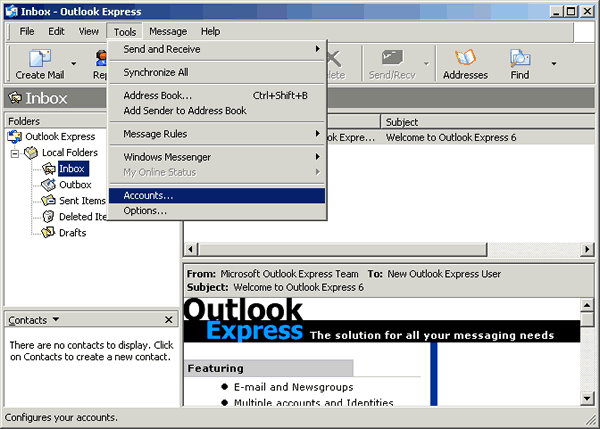
 

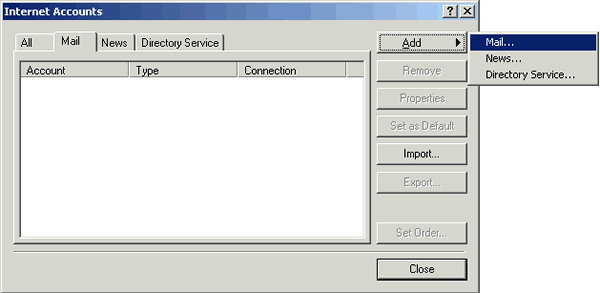
Click Add, then click Mail.
 

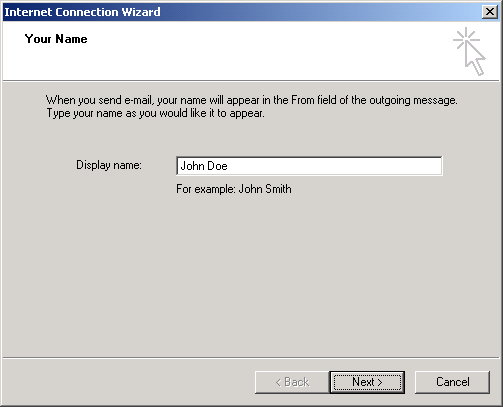
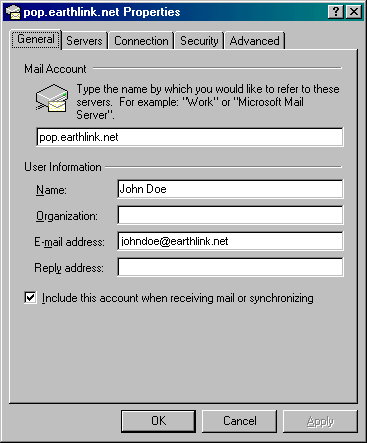
Write the name you would like displayed when you send e-mail. (Mr. & Mrs. Smith) click Next.
 

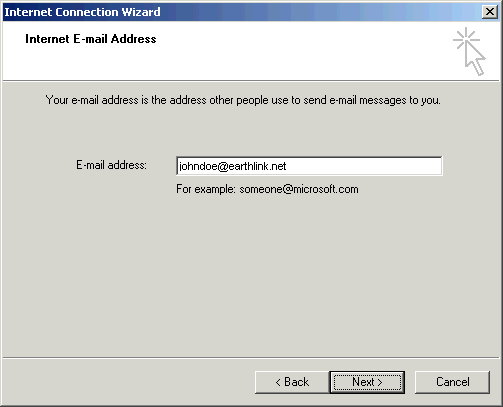
Add your E-mail address, click Next.
 

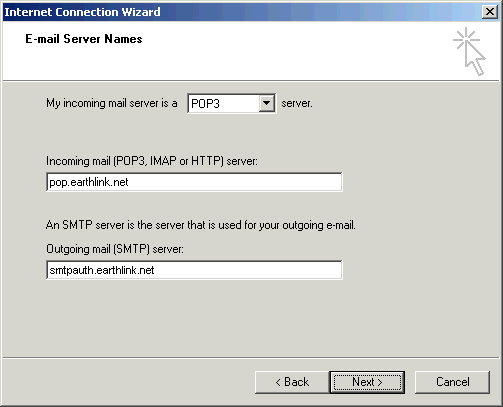
Choose your Incoming mail server (POP3).

Incoming mail server (POP3) pop.earthlink.net or mail.earthlink.net

Outgoing mail server (SMTP) smtpauth.earthlink.net or mail.earthlink.net then click Next.
 

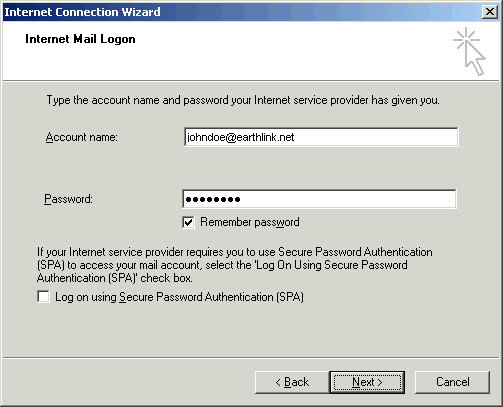
Add your Account name & Password, check Remember Password, click Next.
 

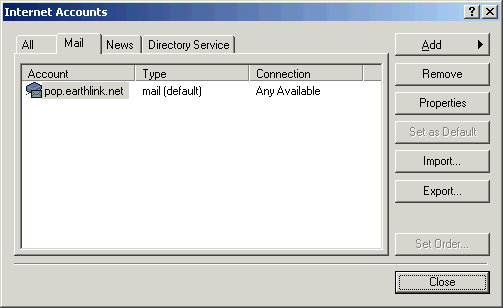
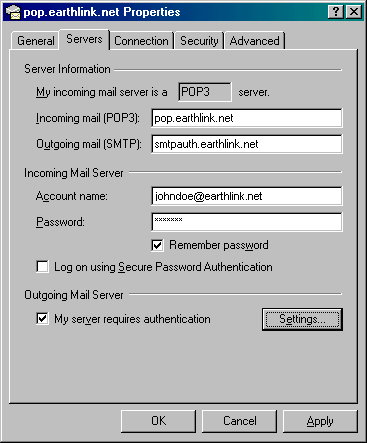
Double-click your account in the Account list.
 

Click on the Servers tab.
 

Check the box next to My server requires authentication, then click Settings.
 

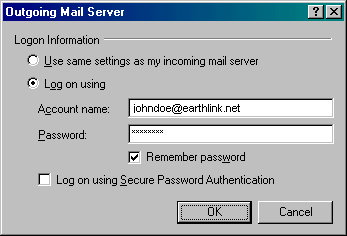
Select Log on using.

Type your full earthlink email address In Account name, (johnsmith@earthlink.net).

Type in your Password. Check the box next to Remember password, Click OK.
 

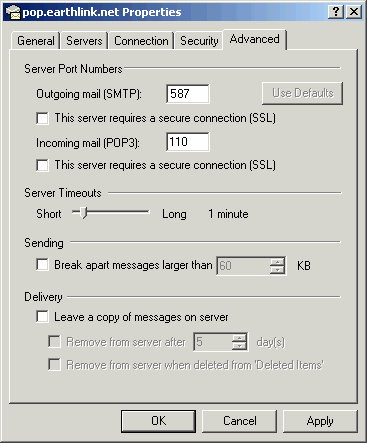
Click the Advanced tab, change Outgoing mail (SMTP) to 587, Click OK.

Port 587 will work on any ISP network. As a last resort, if all else fails.

You can convert back to port 25 however port 25 will only work if you are

connected to the EarthLink Network, so it should only be used if all else fails.
 

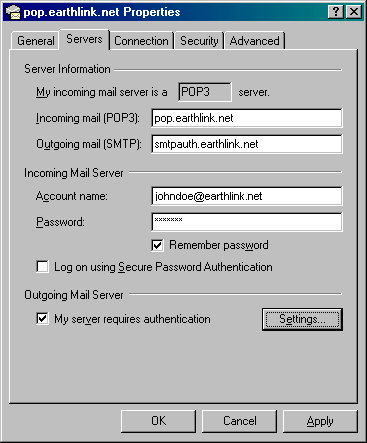
Click OK your all finished.
Affiliate Sites

Happyasis.com - Social Networking, Friends and the Pet Game!

Happy As Is Website Hosting - Affordable Hosting for any size site.

The Delightful Horse - All Things Horse.

CybernetBooks.com The original Ebook store. :)

Community Partners Realty - Helping you find your neighborhood.

Earth Collection - Art Gallery/Galerie

Checkerboard Farms - Andalusians and Friesians.

Nina C. Miller - Psychotherapist of over 30 years.

Sano Medical Center - Medical Director Dr. James Stirbl, MD
https://sanomedicalcenter.com


Beast-USA's Remote Computer Repair Service

One time repair, monthly service plans, cost and information.

Beast-USA's Remote Computer Repair

Safe Remote Repair Software

TeamViewer: It can be used for free for personal use. Remote repair, remote desktop, "TeamViewer - the All-In-One Software for Remote Support and Online Meetings Remote control any computer or Mac over the internet within seconds or use TeamViewer for online meetings. Find out why more than 200 million users trust TeamViewer!"


TeamViewer Website

http://www.teamviewer.com

DWS remote software

You may also want to check out this remote software "DWS". Very good software completely FREE and runs in any internet browser. It is free so it lacks a few features that some of the others have. For the average user it's perfect!

https://www.dwservice.net/en/overview.html


Copyright © 2005-2023 beast-usa.com All Rights Reserved.